
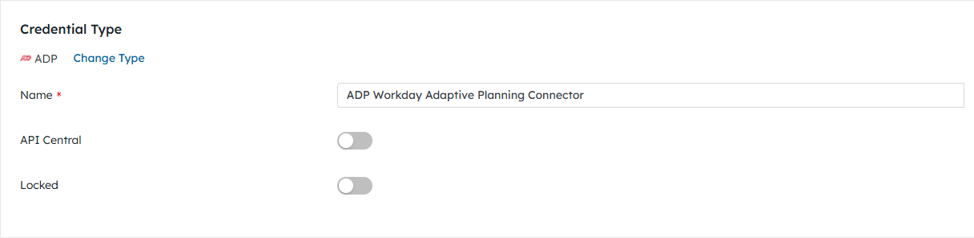
To make an ADP WFN connection, the following credentials are needed:
| Field Name | Required / Optional | Description |
| Name | Required | Provide a unique name for this credential. |
| API Central | Optional | Keep toggled off. |
Please note that DataBlend Client Services will provide Credential creation to users. If a User does not follow the process completely, this will result in the ADP WFN process getting stuck. Users will not be able to connect and will require assistance from DataBlend Client Services and ADP.
Users must first have a DataBlend Group, User, and ADP Credential saved before proceeding to the DataBlend ADP Listing.
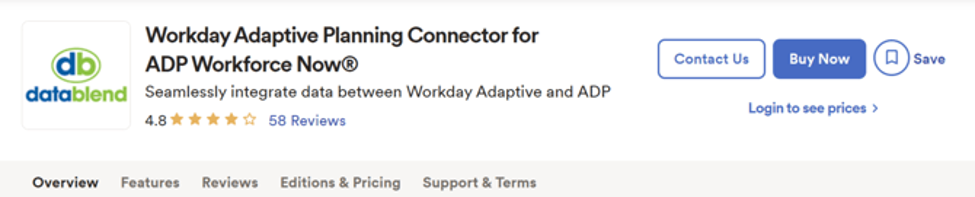
1. Navigate to the DataBlend ADP Listing: Workday Adaptive Planning Connector for ADP Workforce Now® | ADP Marketplace
2. Click the Buy Now button within listing.
3. There will be a section that says “DataBlend requires additional information”. Click the edit link next to this and input the id that was created as the "ID" as part of the DataBlend credential.
4. Navigate through the remaining screens by clicking “Next”.
5. Click the purchase button in the last step.
6. After purchasing, there will be a button asking for consent. Ignore this button as an email will be sent with the actual consent link to be used.
7. Once the consent email is sent, click the link in the email.
8. Users will then be redirected to a new page. Scroll to the bottom of the page and click Allow.
9. Users must then navigate back to DataBlend and click the Test credential button. Users must click the Test Button to ensure that the ADP connection has been established.
10. Collectors can now be created in DataBlend to collect data from ADP into DataBlend.