Contents
Create Bulk Export RESTlet Script Record in NetSuite
Create DataBlend Bulk Export Collector
Create Bulk Export RESTlet Script Record in NetSuite
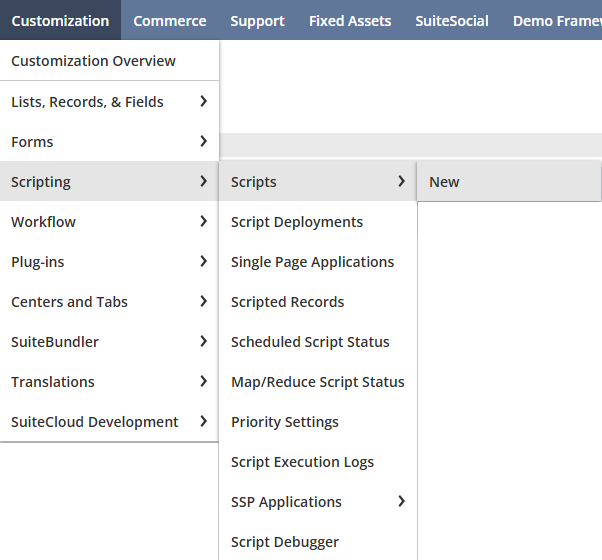
1. Log into NetSuite to create a new script from the Customization menu > Scripting > Scripts > New.
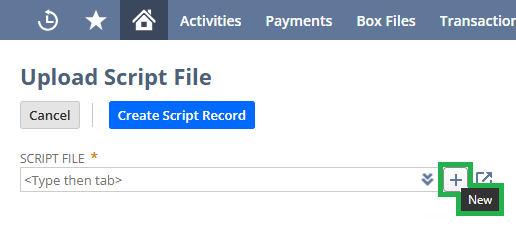
2. If you have not added a Bulk Export script before or the script in NetSuite is outdated, download the DataBlend bulk-search.js RESTlet from the table in NetSuite Collectors, then hover your mouse over the SCRIPT FILE box to click the ‘+ Add’ button.
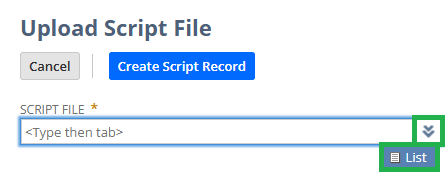
3. If the script is the latest version but a new script record needs to be created, click the double-down arrows to click on List, search for the file, and select it.
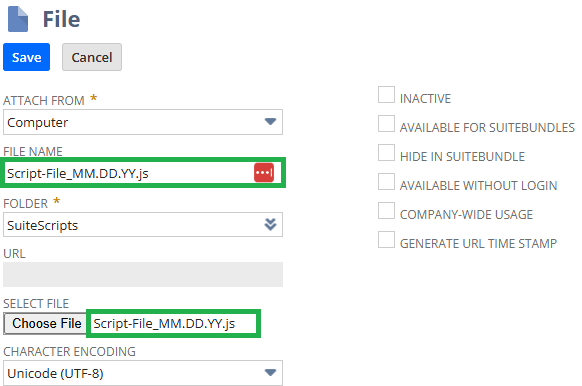
4. Enter a file name with the date for versioning control, select the script file downloaded, and Save the record. Important! File name should have .js at the end of the name.
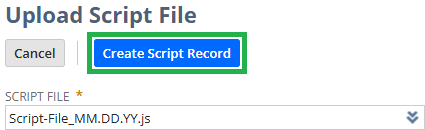
5. Select the created script and click Create Script Record.
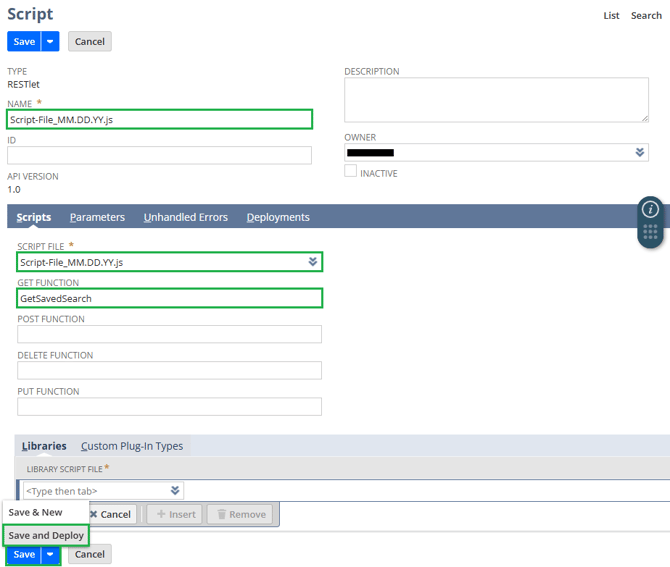
6. Enter a name for the script and note the API version. Click on the down arrow next to Save to click the Save and Deploy button. Important! File name should have .js at the end of the name.
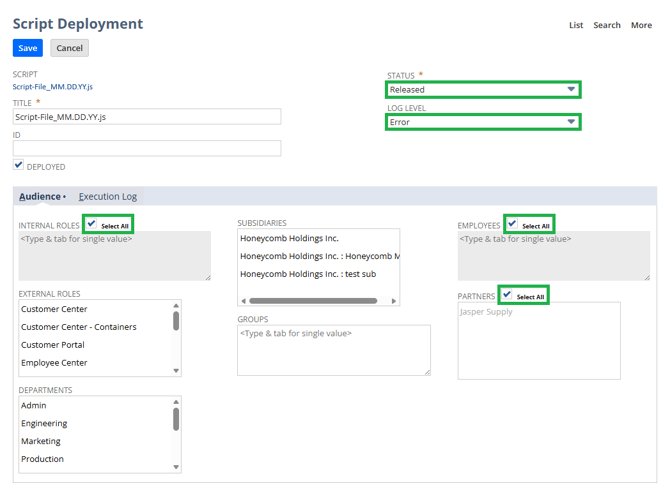
7. Set the deployment STATUS to Released, LOG LEVEL to Error, ensure DEPLOYED is checked, set the security access as appropriate, and Save to deploy the script.
8. Copy the EXTERNAL URL for the DataBlend Collector configuration.
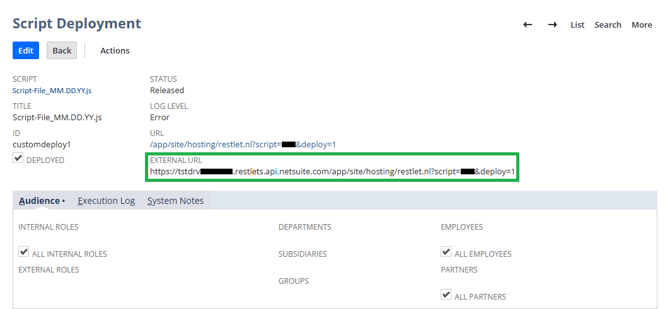
9. To access the External URL again, navigate to Customization > Scripting > Script Deployments or type “Script Deployment” in the Search bar. Expand the filter, adjust the filters, and select the script.
Reminder: deactivate outdated scripts.
Create DataBlend Bulk Export Collector
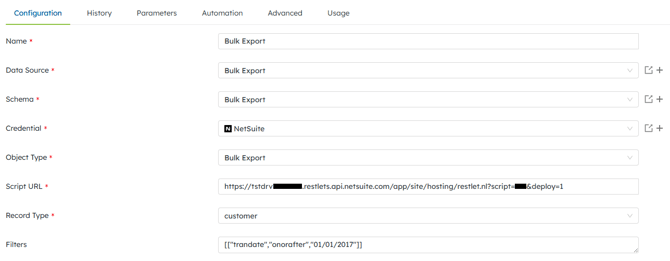
1. In DataBlend, create a collector with the Bulk Export object type.
2. In NetSuite, copy the EXTERNAL URL from the according “Script Deployment” page to paste into DataBlend’s Script URL.
3. Select a Record Type.
4. If necessary, add a filter to limit the number of records being collected. Example: [["trandate","onorafter","MM/DD/YYYY"]] - see NetSuite Applications Suite - search.Operator for more details.